

How to Convert Hexadecimal to Binary
🔢 Learn how to convert hexadecimal numbers into binary step-by-step with clear examples and tips, ideal for Pakistani programmers, electronics learners, and tech users.
Edited By
Ethan Clarke
Understanding how to convert binary numbers to hexadecimal is crucial for anyone working in computing, trading algorithms, or financial software development. Both binary and hexadecimal are number systems used widely in computer programming and digital electronics, but hexadecimal offers a more compact and readable way to represent binary data.
Binary is a base-2 system consisting only of 0s and 1s, the language that computers directly understand. Hexadecimal, on the other hand, is a base-16 system that uses sixteen symbols: 0 to 9 and A to F, where A represents 10 and F represents 15. This system compresses long binary sequences into shorter, easier-to-read numbers.

For traders and financial analysts dealing with automated trading software or blockchain cryptography, quick and accurate conversion between these two is key. Hexadecimal is not just a shorthand for binary; it also helps in handling memory addresses, colour codes in data visualisation, and group encryption keys efficiently.
The conversion process is straightforward once you get the hang of it. Typically, you split the binary number into groups of four bits starting from the right, since each hex digit corresponds exactly to four binary digits. Then, you convert each group into its decimal equivalent and map it to the hex digit.
Remember: This conversion not only saves space but also simplifies debugging complex code and reading cryptographic hashes — a common task for crypto enthusiasts and stockbrokers relying on secure transactions.
Throughout this article, you’ll find simple step-by-step methods, helpful examples, and practical tips to confidently convert any binary number into hexadecimal. This will enhance your understanding and improve your efficiency when dealing with digital financial tools or coding tasks.
Stay tuned as we break down the basics and move towards practical conversions relevant for your everyday trading and analysis needs in Pakistan.
Understanding the binary and hexadecimal systems is fundamental when converting numbers between these two formats. This knowledge is especially useful for professionals working in financial tech, crypto markets, or software development in Pakistan, where working with low-level data representations is increasingly common. Grasping the core concepts helps reduce errors and improves efficiency when analysing or manipulating digital data.
The binary number system uses only two digits: 0 and 1. Each digit, called a bit, represents one of two possible states, which suits electronic circuits that are either off (0) or on (1). For example, in computing, the binary number 1010 stands for the decimal value 10. Since computers operate using binary logic, understanding how to interpret and translate binary numbers is essential for tasks ranging from coding to data analysis.
The hexadecimal system, or hex, is a base-16 number system that uses sixteen symbols: numbers 0–9 and letters A–F. Each hex digit can represent four binary digits (bits), making it a compact form for displaying large binary numbers. For instance, the binary sequence 1101 0110 translates to D6 in hexadecimal. This compactness makes hex useful for programmers and analysts who need to read or debug binary data quickly without dealing with long strings of 0s and 1s.
Hexadecimal numbers provide a clear and concise way to represent binary data, which otherwise can be cumbersome. For example, a 32-bit binary number has eight hex digits, drastically simplifying its readability. In practice, hex is widely used for debugging, memory addressing, and colour coding in programming. Understanding hex alongside binary allows you to switch quickly between the two, which can be a big advantage when examining machine-level data or smart contract code on blockchain platforms.
Mastering these basics equips you to handle data conversion tasks efficiently, reducing the chance of mistakes and aiding quicker decision-making in technical and financial environments.
This section sets the foundation for the step-by-step conversion methods and examples you will see later. Having these points clear means you can focus on precise conversions, which is crucial when working with digital assets or financial computations in Pakistan's evolving tech landscape.
Understanding the key principles behind converting binary to hexadecimal is essential for accurate and efficient translation between these two number systems. Binary, consisting only of 0s and 1s, can become cumbersome to read and interpret in large quantities, while hexadecimal (base-16) offers a more compact and readable form. The main principles revolve around grouping the binary digits into manageable chunks, then mapping those groups to corresponding hexadecimal characters.
The first key principle involves dividing the binary number into groups of four bits, starting from the right. This is because each hexadecimal digit corresponds exactly to four binary digits. For example, the binary number 10110110 splits into 1011 and 0110. Padding may be required to ensure the leftmost group always has four digits; for instance, 1101 becomes 0001 101 if incomplete.
Why group in fours? Binary bits represent powers of two, and four bits together can represent values from 0 to 15 — exactly matching the single digit range of hexadecimal (0 to F). This makes conversion straightforward without complex calculations.
Once grouped, each set of four binary digits is matched to its hexadecimal equivalent. For example, 1011 in binary equals 11 in decimal, which corresponds to the letter B in hexadecimal. Similarly, 0110 equals 6, so the hexadecimal digit is 6.
Here's a quick reference for how groups map:
0000 = 0
0001 = 1
0010 = 2
1011 = B
1111 = F
This mapping reduces lengthy binary strings into concise hexadecimal numbers that are easier to store, communicate, and debug in computer programming or financial software dealing with large datasets and cryptographic keys.
Grouping first, then mapping simplifies conversion — no need for heavy arithmetic. This principle is especially useful for traders and analysts who work with binary-coded data in computing environments or blockchain analysis.
By mastering these principles, you can confidently handle conversions, reduce errors, and interpret hexadecimal values meaningfully in your financial and technological workflows.
Converting binary numbers to hexadecimal is best done using a clear, step-by-step approach. This method breaks down the process into manageable parts, making it easier to avoid mistakes and ensuring accurate results, which is crucial for traders and financial analysts dealing with data computations or coded systems. By following each step carefully, you can quickly switch between these two numbering systems, saving time in technical analysis or software programming tasks.
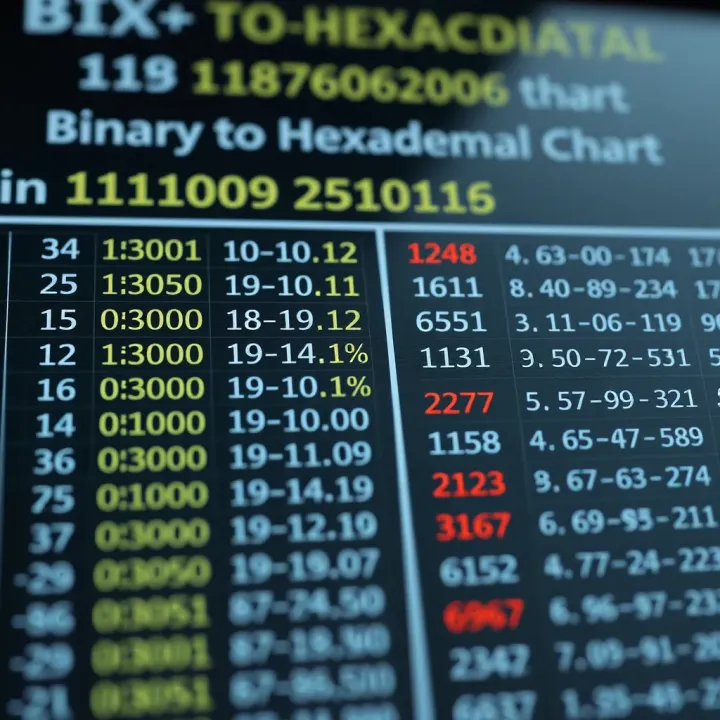
Binary numbers don't always come in groups of four digits, which is the standard size needed for each hexadecimal digit. Padding means adding extra zeros to the start of your binary number until its length is divisible by four. For example, the binary number 1011 stays as is, but 1101 001 becomes 0001 1010 01 after padding to 0001101001 for ease of grouping. Without padding, misalignment leads to wrong hexadecimal output.
Once padded, split the binary number into chunks of four digits starting from the right. This division aligns each block to represent one hexadecimal digit. For instance, 0001101001 splits into 0001 1010 1001. Grouping like this helps map each segment directly to hexadecimal without confusion.
After grouping, convert each 4-bit binary group to its equivalent hexadecimal digit. The mapping follows: 0000 is 0, 0001 is 1, , 1001 is 9, but from 1010 onwards, digits become letters from A to F (1010 = A, 1111=F). For example:
0001 becomes 1
1010 becomes A
1001 becomes 9
This step is straightforward with practice and critical for accurate conversion.
Finally, join all hexadecimal digits from left to right to get your full hexadecimal number. Using our example, 0001 1010 1001 converts to 1A9. This number is now shorter, easier to read and use compared to the original binary string.
Remember, this method is really useful when working with memory addresses or debugging code, especially for tech professionals and enthusiasts who handle such data daily.
By mastering these steps, you can confidently convert any binary number to hexadecimal swiftly and accurately, improving your efficiency in computer science or financial analysis tasks.
Understanding how to convert binary numbers into hexadecimal format becomes much easier when you work through practical examples. These examples show how the theory applies in real scenarios, enabling traders, financial analysts, and crypto enthusiasts to interpret binary data quickly and accurately. Clear examples help avoid common mistakes such as skipping the padding step or misgrouping bits.
Consider the binary number 1010. This is a straightforward example often used in introductory problems. Start by ensuring the bit length is a multiple of four—1010 already has four bits. Grouping the bits as one group: 1010. This directly maps to the hexadecimal digit A. Such conversions help in understanding how digital systems represent values succinctly.
Take a larger binary string like 110101101011. This isn’t divisible by four at the end, so padding on the left is necessary. Add two zeros to make it 00110101101011. Now split it into groups of four:
0011
0101
1010
1011
Each group converts to a hexadecimal digit:
0011 → 3
0101 → 5
1010 → A
1011 → B
Therefore, 110101101011 converts to 35AB in hexadecimal. Such examples are closer to real-world data sizes, assisting professionals working with memory addresses or cryptographic keys.
In many cases, speed is crucial, particularly when dealing with large data. Online calculators or software tools provide instant conversions by inputting the binary number and getting the hexadecimal output. They reduce human error and save time. Popular platforms tailored for Pakistani users or global professional tools often include helpful features like validation and easy copy-paste options. However, knowing the manual method makes it easier to verify calculations when software is unavailable or you need to debug code manually.
Practising with real binary numbers strengthens your understanding while using online tools ensures accuracy and efficiency when speed is necessary.
By working through both simple and complex examples, you’ll get a strong grasp of binary to hexadecimal conversion. This balance of practice and technology is especially useful in sectors like finance and crypto, where precision in data representation matters greatly.
Understanding how to convert binary numbers into hexadecimal is not just an academic exercise; it has several practical uses in computing and electronics. This conversion simplifies how we represent and interpret large binary numbers, making it vital for professionals working with programming, digital circuits, and memory management.
Programmers often work with memory dumps or debugging outputs that show data in hexadecimal form because it's more compact and readable than binary. For instance, a memory address like 0x1A3F is easier to handle than the long binary equivalent 0001101000111111. When debugging code, recognising these hexadecimal values allows you to quickly locate errors or specific data in memory.
Additionally, many programming languages such as C and Python allow direct use of hexadecimal literals, which is handy when setting flags or working with bitmask operations. This way, programmers can write clear and concise code without handling unwieldy binary numbers.
In digital electronics, circuits often operate on binary signals, but representing these signals in hexadecimal makes design and analysis easier. Engineers frequently use hexadecimal notation to specify values for registers, address buses, or configuration settings in microcontrollers.
Take an example from circuit design: setting a 16-bit register to control a device may require a hexadecimal value like 0xFF00 instead of a 16-digit binary number. This reduces errors in reading and simplifies communication among design teams.
Memory addressing in computers uses hexadecimal format to represent the location of data efficiently. Every byte in RAM has a unique address often shown in hexadecimal. For software engineers working in system-level programming or hardware interfacing, converting binary addresses from hardware signals to hexadecimal is a routine task.
Moreover, colour codes in web design and graphics rely heavily on hexadecimal. For example, the colour red is represented as #FF0000 in hexadecimal, corresponding to full intensity red and zero green and blue components. This is practical when selecting or modifying colours in applications, as hexadecimal is a neat shorthand for complex binary colour values.
Mastering the conversion between binary and hexadecimal sharpens both your technical communication and problem-solving skills across programming, electronics, and computing fields.
By grasping these practical uses, you not only understand the 'how' but also the 'why' behind these conversions, placing you a step ahead in your technical grasp.
When converting binary numbers to hexadecimal, certain errors frequently trip up even those with some experience. Avoiding these mistakes not only saves time but also prevents confusion later, especially when working on programming, debugging, or hardware design. Let’s focus on key pitfalls and how to steer clear of them.
Grouping binary digits in sets of four is fundamental to accurate hexadecimal conversion. One common error is forming groups of wrong sizes, such as pairs or triplets, which distort the hexadecimal result. Remember, each hexadecimal digit corresponds exactly to four binary digits.
Take the binary number 1011011. Without proper grouping, you might split it into groups of three or four from the left incorrectly and get wrong digits. The right way is to pad the left side with zeros if necessary, making it 01011011, then divide into groups of four: 0101 and 1011. This yields hexadecimal digits 5 and B, giving 5B.
Incorrect grouping often happens when rushing conversions or skipping the padding step, leading to errors especially in longer binary numbers. Double-check the length and grouping before proceeding.
Hexadecimal uses digits 0–9 and letters A–F to represent values 10 to 15. It’s easy to confuse these letters with unrelated values or treat them as numbers in calculations. For instance, mistaking 'A' as a variable or ignoring that 'F' stands for 15 can disrupt conversions or programming logic.
Always remember that these characters are placeholders for numeric values beyond 9, not separate numbers themselves. When converting back or doing calculations, handle hexadecimal digits correctly to avoid mistakes in address assignment or colour coding.
For binary numbers that don’t neatly split into groups of four, not adding zeros at the start—known as padding—throws off the conversion. Padding is a simple but vital step. It aligns the binary number so every group has four digits, preserving the integrity of the conversion.
For example, the binary 111001 has six digits, which doesn’t divide evenly into groups of four. Padding it as 00111001 ensures two groups: 0011 and 1001, corresponding to hexadecimal digits 3 and 9, hence 39.
Skipping this step risks turning valid binary inputs into wrong hexadecimal outputs, which becomes problematic when coding memory addresses or interpreting machine instructions.
Clear, careful handling of binary groups, respecting the hexadecimal digit set, and consistent padding ensures conversion accuracy. These little details can save hours of frustrating troubleshooting in real-world applications.
This section is vital because it ties everything together, helping readers revisit key points for clearer understanding. Summarising the conversion steps reduces confusion, especially for those practising the method for the first time or preparing for exams like MDCAT or ECAT. Further resources guide readers who want to deepen their knowledge or apply the concept in real-world scenarios such as computer programming or digital circuit troubleshooting.
Start by padding the binary number with zeros on the left until its length is a multiple of four; this makes dividing into groups much easier. Next, split the binary number into groups of four digits each. Then, convert each group into its equivalent hexadecimal digit using the standard mapping, where, for example, binary 1010 equals hexadecimal A. Finally, combine all hexadecimal digits to get the full hexadecimal number.
Take care not to skip the padding step, as it leads to incorrect grouping and wrong results. Also, remember that hexadecimal digits beyond 9 use letters A to F, which beginners often mistake for numbers. Practice with examples like converting 11010110 (binary) to D6 (hexadecimal) helps solidify the approach. Writing down each step reduces the chance of errors during exams or practical tasks.
For structured study, the book "Digital Design and Computer Architecture" by David Harris is a good resource that explains number systems in simple terms. "Computer Organization and Design" by Patterson also covers binary and hexadecimal conversion alongside computer hardware basics.
Online platforms like Khan Academy and Coursera offer free courses covering number systems and computer fundamentals. For quick reference, websites such as GeeksforGeeks and TutorialsPoint provide clear tutorials with examples. Pakistani students preparing for university or technical exams will find these especially useful alongside their board syllabus.
Revisiting these resources and practising regularly can turn a tricky topic into a straightforward skill, boosting confidence for technical interviews, exams, or practical electronic design work.
In summary, always review each conversion step patiently and consult recommended books or online tutorials to solidify your understanding. This approach suits traders or financial analysts who often deal with data encoding or programming financial models, as well as crypto enthusiasts decoding blockchain data. Clear command over binary to hexadecimal conversion sharpens problem-solving and technical skills relevant across multiple fields in Pakistan’s growing tech landscape.
🔢 Learn how to convert hexadecimal numbers into binary step-by-step with clear examples and tips, ideal for Pakistani programmers, electronics learners, and tech users.

🔢 Learn how to easily convert numbers between binary and hexadecimal systems with clear steps and practical tips for computing and electronics.
Learn the step-by-step binary conversion method for switching between decimal & binary. Ideal for anyone keen on digital systems & computing. 🔢💻

Learn how to convert binary to decimal and vice versa with clear steps, common mistakes to avoid, and useful tips for easier binary conversions 💻🔢.
Based on 6 reviews